4 原稿を章ごとに分け、数字を自動で入れる
ここからは論文の本体です。1つの長い main.qmd に全部書くと、スクロールが大変で、どこに何があるか分かりにくくなります。そこで、章ごとにファイルを分けます。
4.1 原稿フォルダの構成
manuscript/jcsm/
├─ main.qmd                   YAML・数値の読み込み・章の並びだけ(本文は書かない)
├─ sections/
│   ├─ _00_title.qmd          タイトルページ(著者・所属・語数)
│   ├─ _01_abstract.qmd
│   ├─ _02_introduction.qmd
│   ├─ _03_methods.qmd
│   ├─ _04_results.qmd
│   ├─ _05_discussion.qmd
│   ├─ _06_declarations.qmd   謝辞・利益相反・倫理
│   └─ _07_figure_legends.qmd
├─ reference-manuscript.docx  Word の書式(Times 10pt・行番号・ページ番号)
├─ vancouver-brackets.csl     引用の形式 [1], [1-3]
└─ review/                    共著者から戻ってきた docx(第5章)
章ごとに分けると、
- 見たい章をすぐ開ける。git の差分も章ごとに見やすい
- 英語化するときに対応がとりやすい。日本語の下書き
_02_introduction.ja.qmdを横に置いて、並べて訳せる - リジェクト後に別の雑誌へ出すとき、章ファイルはそのまま使い回せる
4.2 main.qmd は「目次」だけ
manuscript/jcsm/main.qmd
---
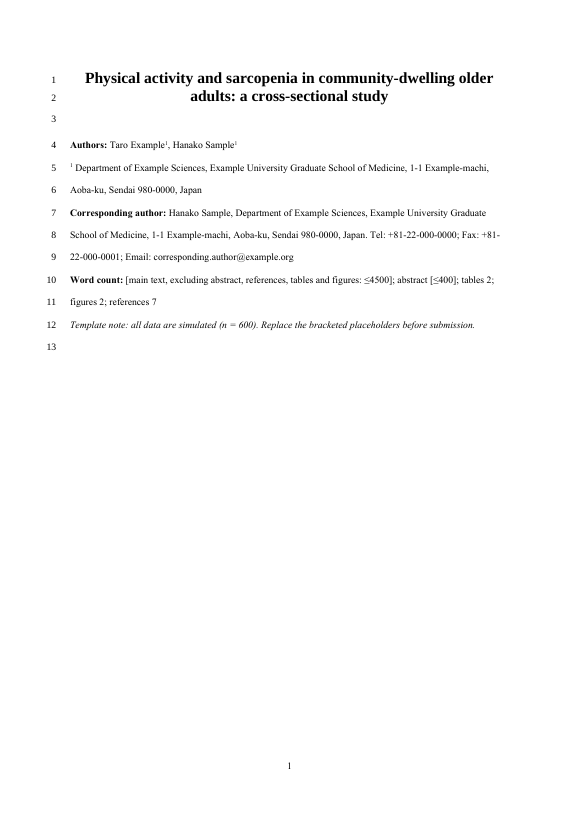
title: "Physical activity and sarcopenia in community-dwelling older adults: a cross-sectional study"
author: ""     # 著者はタイトルページ(sections/_00_title.qmd)に書く
date: ""
bibliography: ../../references.bib          # Paperpile の書き出し先(プロジェクト直下)
csl: vancouver-brackets.csl                 # citations as [1], [1-3]
link-citations: false
format:
  # html は \qp / \qi(章だけ)のプレビュー用。投稿用は docx
  html:
    toc: true
  docx:
    reference-doc: reference-manuscript.docx   # Times 10 pt, page numbers, line numbers
    number-sections: false
    toc: false
execute:
  echo: false
  message: false
  warning: false
---
YAML の後に、数値の読み込み(setup)と、章の並びだけを書きます。
manuscript/jcsm/main.qmd(続き)
```{r}
#| label: setup
library(targets)

# bib にない引用キーがあれば止める
source(here::here("scripts/checks/check_citations.R"))
check_citations(here::here("manuscript/jcsm"), here::here("references.bib"))

# tar_make() 忘れ(古い数値のまま render)を防ぐ
stale <- tar_outdated(callr_function = NULL)
if (length(stale)) {
  stop("targets が古い: ", paste(stale, collapse = ", "),
       "\n→ 先に Rscript -e 'targets::tar_make()'", call. = FALSE)
}

# 本文の数値は num$xxx で参照
num <- tar_read(numbers)
```

{{< include sections/_00_title.qmd >}}

{{< pagebreak >}}

{{< include sections/_01_abstract.qmd >}}

{{< pagebreak >}}

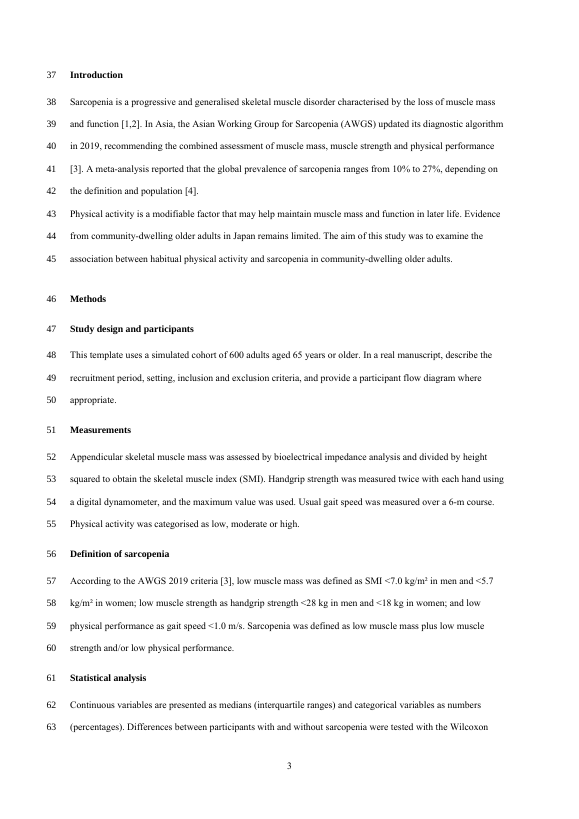
{{< include sections/_02_introduction.qmd >}}

{{< include sections/_03_methods.qmd >}}

{{< include sections/_04_results.qmd >}}

{{< include sections/_05_discussion.qmd >}}

{{< include sections/_06_declarations.qmd >}}

# References

::: {#refs}
:::

{{< include sections/_07_figure_legends.qmd >}}
4.2.1 {{< include >}} とは
{{< include ファイル >}} は、その場所にファイルの中身を貼り付けてから render する Quarto の機能(ショートコード)です。R のコードやインラインの `r ...` も、貼り付けた後に実行されるので、章ファイルの中でも main.qmd の setup で作った num が使えます。
4.2.2 ファイル名を _ で始める理由
Quarto のプロジェクトでは、_ で始まるファイルは単独で render されません。quarto render(プロジェクト全体)を実行しても章ファイルが1つずつ docx になったりせず、main.qmd 経由でだけ使われます。
4.2.3 {{< pagebreak >}}
Word・PDF で改ページを入れます。タイトルページ・抄録・本文の間で使います。
4.3 本文の数字は num$xxx で書く
章ファイルでは、数字を直接書かず、計算結果の名前を書きます。
sections/_01_abstract.qmd(抜粋)
**Results:** Of the `r num$n_all` participants (`r num$pct_women` women;
mean age `r num$age_mean` years), `r num$n_sarc` (`r num$prev_all`) had sarcopenia
(men `r num$prev_men`, women `r num$prev_women`). ...
Compared with low physical activity, high physical activity was associated with
lower odds of sarcopenia (adjusted `r num$or_long_high`), whereas moderate
physical activity was not (`r num$or_long_moderate`).
render すると、こうなります。
Results: Of the 600 participants (56.3% women; mean age 77.8 ± 7.3 years), 127 (21.2%) had sarcopenia (men 15.3%, women 25.7%). … Compared with low physical activity, high physical activity was associated with lower odds of sarcopenia (adjusted odds ratio 0.34, 95% confidence interval 0.16–0.68, P = 0.003), whereas moderate physical activity was not (odds ratio 0.80, 95% confidence interval 0.47–1.35, P = 0.397).
4.3.1 数字は numbers.R で「貼れる文字列」にしておく
num$xxx の中身は、scripts/04_analysis/numbers.R の make_numbers() が作ります。小数点の桁数や「95% CI」の書き方まで整えた文字列にしておくのがポイントです。本文側に計算や整形のロジックを置かないので、章ファイルは文章だけに集中できます。
scripts/04_analysis/numbers.R(抜粋)
fmt_p <- function(p) if (p < 0.001) "P < 0.001" else sprintf("P = %.3f", p)
fmt_pct <- function(x) sprintf("%.1f%%", mean(x) * 100)

# 抄録用(略語なし)
fmt_or_long <- function(r) {
  sprintf("odds ratio %.2f, 95%% confidence interval %.2f–%.2f, %s",
          r$estimate, r$conf.low, r$conf.high, fmt_p(r$p.value))
}
# 本文用(略語)
fmt_or_short <- function(r) {
  sprintf("OR %.2f, 95%% CI %.2f–%.2f, %s", r$estimate, r$conf.low, r$conf.high, fmt_p(r$p.value))
}

make_numbers <- function(cohort, model) {
  or_tab <- broom::tidy(model, conf.int = TRUE, exponentiate = TRUE)
  or <- \(term) or_tab[or_tab$term == term, ]
  is_sarc <- \(d) d$sarcopenia == "Sarcopenia"

  out <- list(
    n_all = nrow(cohort),
    n_sarc = sum(is_sarc(cohort)),
    prev_all = fmt_pct(is_sarc(cohort)),
    pct_women = fmt_pct(cohort$sex == "Women"),
    or_long_high = fmt_or_long(or("physical_activityHigh")),
    or_short_high = fmt_or_short(or("physical_activityHigh")),
    # ...(全部で20個ほど)
  )
  lapply(out, as.character)   # 控え(json)との比較のため全部文字列に
}
tar_read(numbers) の中身はこうなっています。
List of 6
 $ n_all     : chr "600"
 $ n_sarc    : chr "127"
 $ prev_all  : chr "21.2%"
 $ prev_men  : chr "15.3%"
 $ prev_women: chr "25.7%"
$ pct_women : chr "56.3%"num$ を付ける理由
n_all や pct のような短い名前をそのまま変数として置くと、別の変数や関数と名前がぶつかって、気づきにくいバグになります。num$ を付けておけば、「これは本文用の数値だ」と一目で分かり、ぶつかることもありません。
4.3.2 抄録用と本文用を分ける
JCSM の規定では、抄録では略語を使わないよう求められています。そこで、同じオッズ比でも
- 抄録用
num$or_long_high… “odds ratio 0.34, 95% confidence interval 0.16–0.68, P = 0.003” - 本文用
num$or_short_high… “OR 0.34, 95% CI 0.16–0.68, P = 0.003”
の2種類を用意しています。
4.4 投稿用の表と図
JCSM は「表と図は本文とは別のファイルでアップロードする」規定です。表と図は _targets.R の table_files・figure_files が output/submission/ に書き出します。
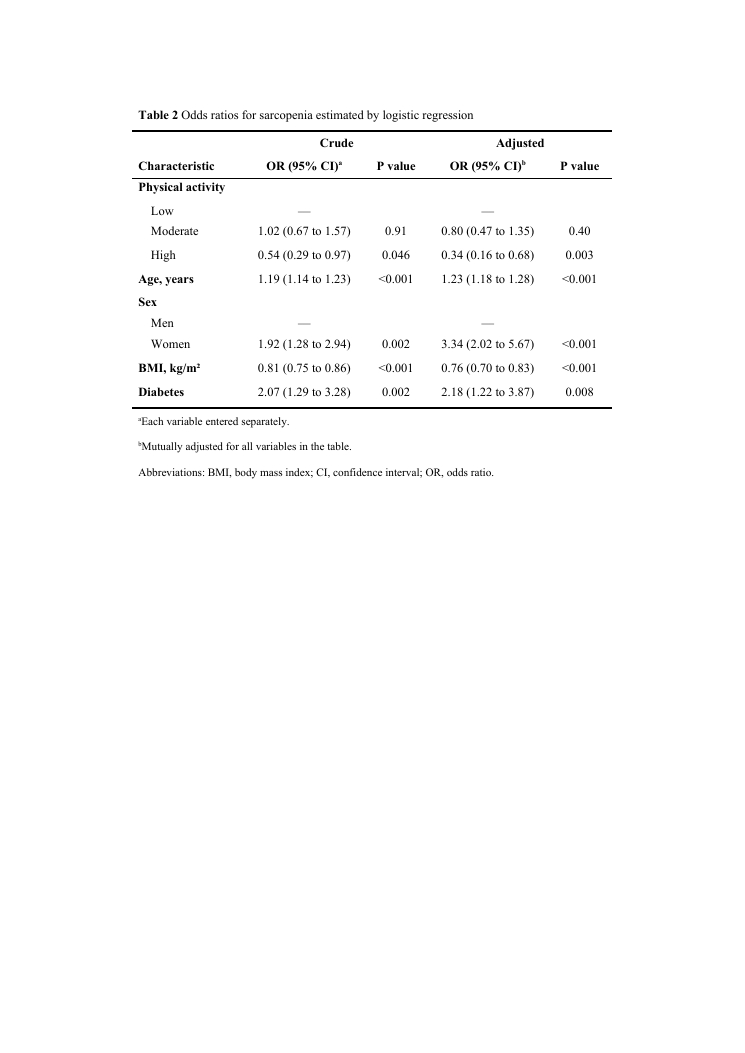
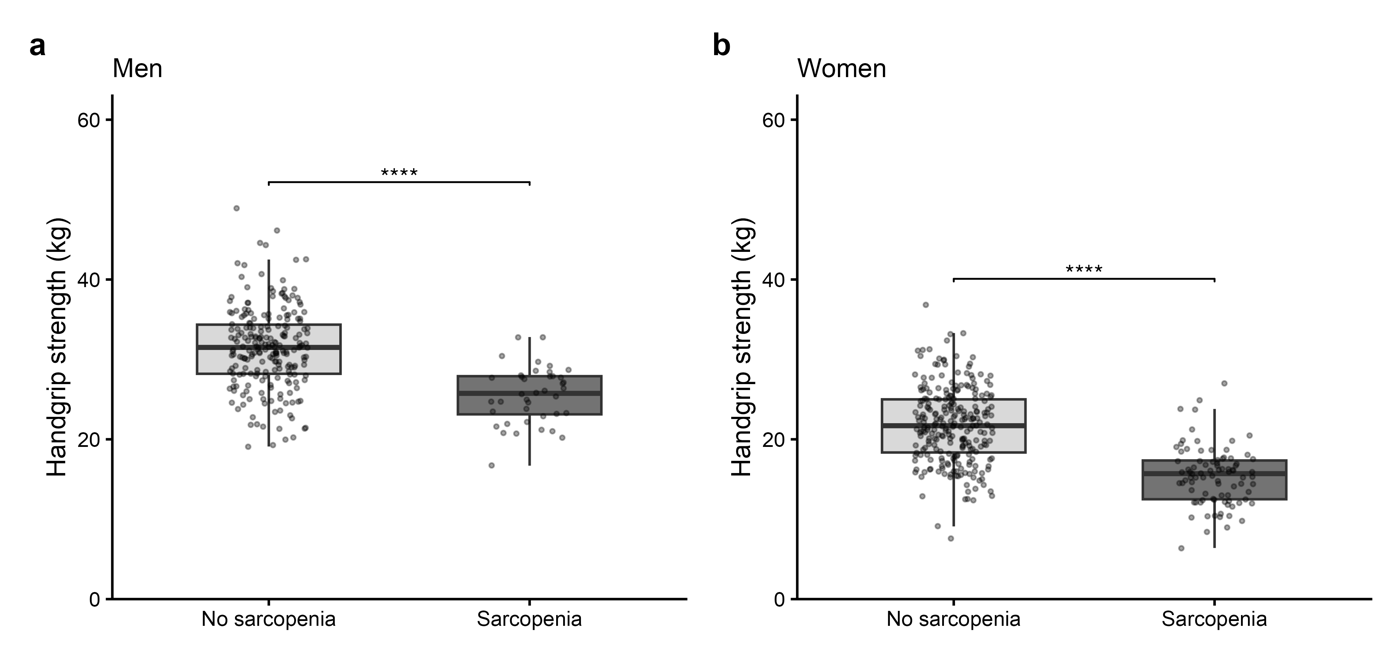
- 表:
gtsummaryで作り、flextableで Word にする。脚注は雑誌の規定に合わせて上付きの a, b に置き換え - 図:文字は Arial 9pt、図の中にタイトルを入れない、色だけに頼らず形・線種でも区別する、TIFF 600 dpi と EPS
図の説明文(Figure legends)は本文ファイルの最後に書きます(_07_figure_legends.qmd)。
4.5 引用チェック
文献は [@chen2020awgs] のように引用キーで書きます。Paperpile などから書き出した references.bib にそのキーがないと、Quarto は警告を出すだけで、本文には ?chen2020awgs と出てしまいます。
これを防ぐため、main.qmd の setup で check_citations() を実行しています。bib にないキーがあれば、render をその場で止めます。
! references.bib にない引用キー: chen2020awgsX
→ Paperpile で書き出し直す / キーの綴りを確認
scripts/checks/check_citations.R(要点)
check_citations <- function(dir = "manuscript/jcsm", bib = "references.bib") {
  files <- c(file.path(dir, "main.qmd"), Sys.glob(file.path(dir, "sections", "*.qmd")))
  txt <- unlist(lapply(files, readLines, warn = FALSE))
  # @key を拾う(メールの \@ や R の x@slot は除外)。@fig- @tbl- などは相互参照なので除外
  hits <- regmatches(txt, gregexpr("(?<![\\w\\\\])@[A-Za-z0-9_][A-Za-z0-9_:.\\-]*", txt, perl = TRUE))
  keys <- unique(sub("[.:]+$", "", sub("^@", "", unlist(hits))))
  keys <- keys[!grepl("^(fig|tbl|sec|eq|lst)-", keys)]
  # .bib のキーと比べて、無いものがあれば stop()
  ...
}
単独でも実行できます。
Rscript scripts/checks/check_citations.R
#> 引用チェック OK: 7 件(bib 7 件中)Paperpile には、ライブラリを BibTeX ファイルとして Google Drive に自動で書き出す機能と、引用キーの形式を決める設定があります。キーが途中で変わると引用が壊れるので、キーの形式を固定し、書き出し先をプロジェクト直下の references.bib にしておきます(設定画面の場所は Paperpile のバージョンによって異なるので、ヘルプで確認してください)。
4.6 render する
quarto render manuscript/jcsm/main.qmd --to docx引用チェック OK: 7 件(bib 7 件中)
Output created: ../../output/manuscript/jcsm/main.docx計算はしないので、1秒ほどで終わります。
4.7 書き方のコツ:最初は数字を仮置きする
初稿を書き始めたばかりの頃は、文章を書きながら numbers.R に1行足して tar_make() して…と行き来するのは面倒です。
- 最初は数字を
[OR]や[n]のような仮置きで書く - 結果が固まってきたら、
numbers.Rにまとめて追加し、仮置きをnum$xxxに置き換える
こうすると、書いている途中で手が止まりません。
4.8 英語化の進め方
章ファイルを分けておくと、日本語で考えてから英語にする流れがとりやすくなります。
sections/_02_introduction.ja.qmdに、日本語で各段落の主張を1文ずつ書く(骨組み)- 骨組みに文献を当てはめる
- 同じ段落構成で
_02_introduction.qmdに英語を書く(英訳は最後に1回だけ)
.ja.qmd は main.qmd から include しないので、原稿には入りません。
4.9 まとめ
- main.qmd は YAML・setup・章の並びだけ。本文は
sections/_xx.qmd - 数字は
num$xxxで書く。整形はnumbers.Rで済ませておく - render の最初に、引用キーと targets の状態をチェックして、おかしければ止める
- 表・図は targets が別ファイルで書き出す